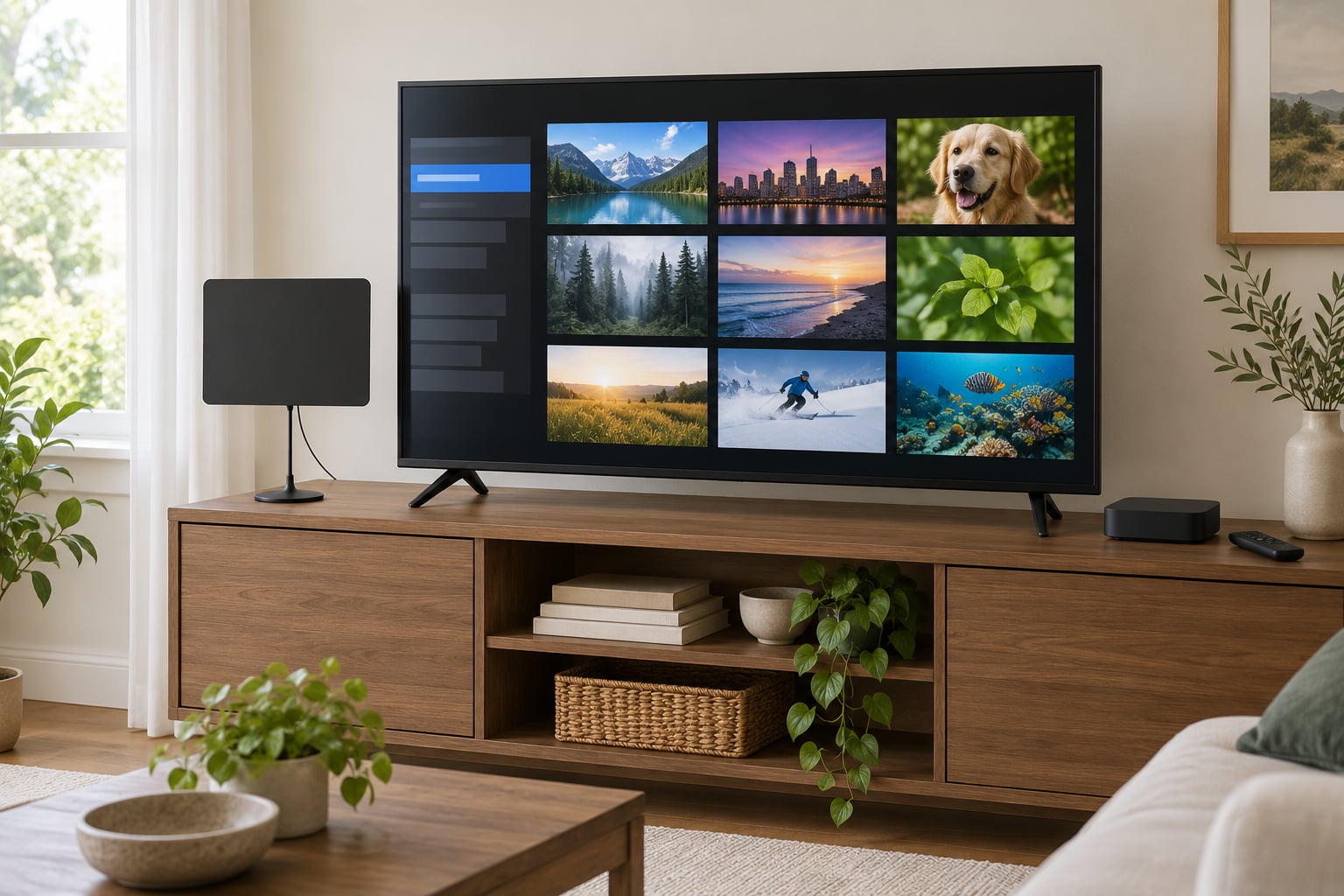
Yes, you can cut the cord and still watch local channels. How to cut the cord and still watch local channels comes down to two things: a digital TV antenna that pulls in your local ABC, CBS, NBC, FOX, CW and PBS affiliates, and a streaming plan for everything else. Plug the antenna into the TV’s coax port, run a channel scan, and the local half of your viewing is handled.
That is the whole trick. Local broadcast stations transmit the same unencrypted digital signal your cable box used to carry, so you can pick it up for free and keep it forever. You give up the cable networks, regional sports and the on-demand library, and you give up the monthly bill with them.
This guide walks through the order that works: find your stations, match the gear to your location, aim and scan, then cancel. Most people finish in an afternoon and a couple of evenings of testing.
Table of Contents
- 1What You Need
- 2Step-by-Step: How to Cut the Cord and Still Watch Local Channels
- 3Step 1: Find Your Local TV Stations
- 4Step 2: Choose an Antenna and Streaming Options
- 5Step 3: Connect and Aim the Antenna
- 6Step 4: Scan, Test, and Organize the Channels
- 7Step 5: Cancel Cable Without Missing Service
- 8Common Mistakes
- 9Frequently Asked Questions
- 10Can I still watch local channels after cutting the cord?
- 11What antenna do I need to receive local TV stations?
- 12Will an antenna receive the same channels as my cable package?
- 13Can I watch local channels on a streaming service?
- 14How do I find out which TV stations are available in my area?
- 15Do I need an antenna amplifier for local channels?
- 16Conclusion
What You Need
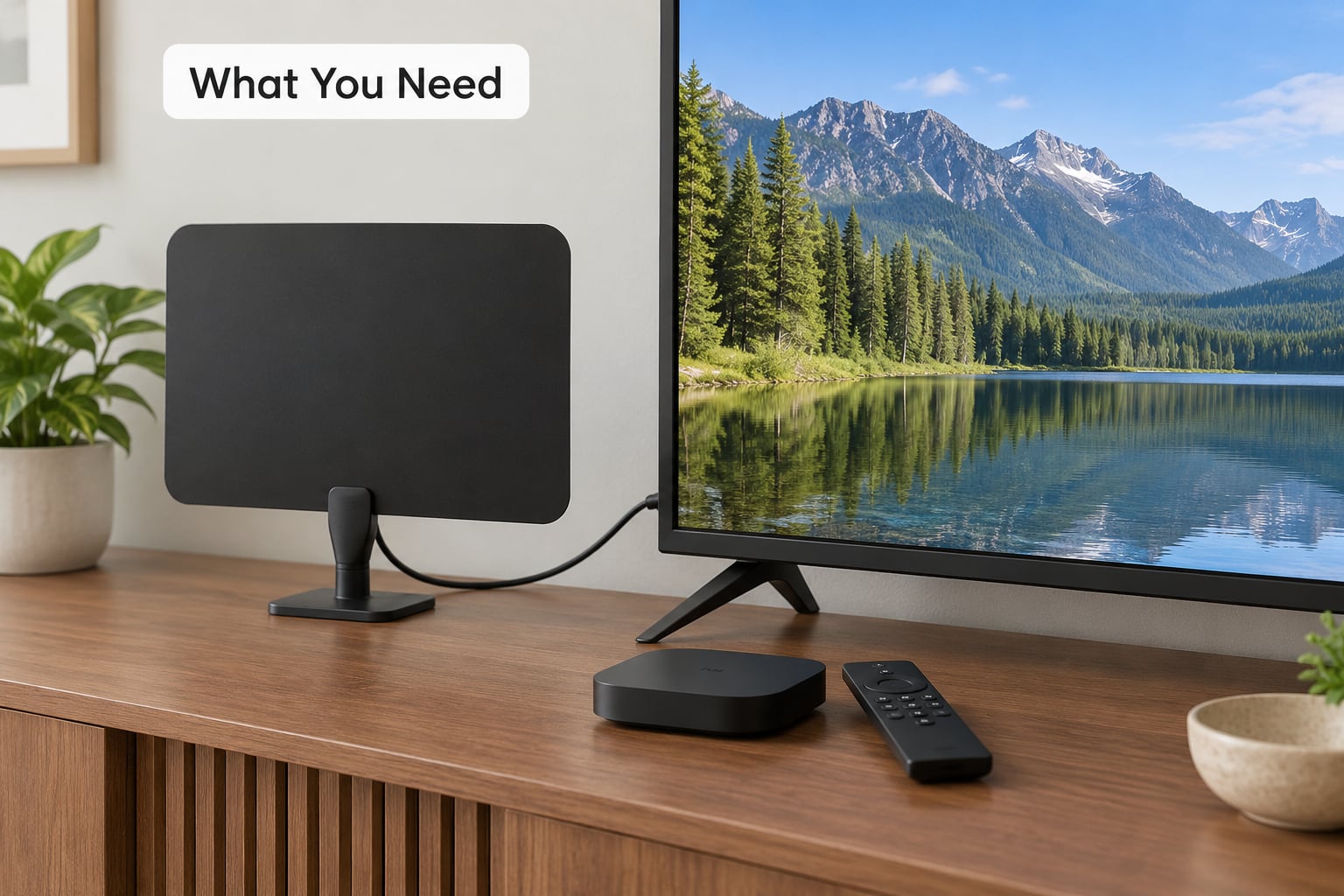
Four things, and only the first is truly required.
1. A broadcast antenna. This is the non-negotiable piece. Indoor antennas handle most suburban and urban locations within roughly 30 miles of a transmitter, though the marketing range claims on the box are fiction. r/ota regulars say so often enough that it’s worth repeating: real range depends on tower distance, terrain and the walls between you and the window.
2. A television with a tuner. Most smart TVs have an ATSC tuner built in, which is just the plain-old-analog-style tuner that picked up digital broadcasts after 2009. Check the back for a coax input, or open the source menu and look for “Antenna” or “OTA” listed alongside HDMI. If your set came out in the last few years and has no coax port, add an external tuner box instead, which plugs into HDMI and handles the scan for you.
3. A streaming device for the non-local channels. A Roku, Amazon Fire TV, Chromecast with Google TV or Apple TV gives you apps for whatever you actually miss. Live TV streaming services like YouTube TV, Hulu with Live TV, Sling TV, FuboTV and DirecTV Stream carry cable networks, and several also carry your local affiliates.
4. Optional extras. A DVR if you record, either a tuner-equipped device or a service with cloud DVR. A distribution amplifier if you want locals on more than one TV. A streaming device that has its own antenna tuner, which merges your local channels and your streaming apps into one guide, is the setup r/cordcutters members recommend more than anything else.
Before buying anything, spend ten minutes on a reception map. Enter your ZIP code into the FCC Digital Television Reception Map, then cross-check RabbitEars.info or the Antennas Direct map. TVFool was the old default planner, but the community moved off it because it stopped updating after the FCC incentive auction repack.
Step-by-Step: How to Cut the Cord and Still Watch Local Channels
Work in this order. Each step has a way to confirm it actually worked before you move on, and there is no point starting step five until steps one through four check out.
Step 1: Find Your Local TV Stations
Start with your ZIP code on the FCC reception map. It lists every broadcast station your address can reasonably reach, the network each one affiliates with, and its virtual channel number, which is the number that shows up in your TV’s guide.
Note the difference between broadcast and cable-only channels as you go. Broadcast means a tower you can receive over the air with an antenna. Cable-only means it arrives through coax from the provider and no antenna will ever find it, no matter how good the antenna is.
Your current cable guide is a useful second source. Any channel marked with a broadcast antenna symbol in the guide is one you can get without cable. Everything else on your list that lacks that symbol is something you will need to stream or drop.
How to know it worked: you have a written list of stations with channel numbers, and a clear yes or no on which of your must-haves are cable-only.
Step 2: Choose an Antenna and Streaming Options
Match the antenna to your situation, not to the marketing.
Indoor flat antennas are thin square panels that do well on UHF channels, which is where most CBS, NBC and ABC affiliates sit. They are poor on VHF, and that is the single biggest reason people lose one station and wonder why. Many FOX and CW affiliates broadcast on VHF, and those often need rabbit ears. Two adjustable rabbit-ear antennas, or a set with both a loop element and telescoping whips, cover both bands in one box.
Amplified indoor antennas add a preamp for use in houses with long coax runs, lots of splitters, or weak signals spread across a building. Buy one only when you have already tried placement, because a preamp amplifies noise and interference as readily as it amplifies a signal and can make the picture worse.
Outdoor or attic antennas are the answer for basements, upper floors with metal roofing, thick brick, hills between you and the tower, or apartments where you cannot get a signal to the window. Attic mounting is easier than roof mounting and works about as well in most cases.
Some outdoor models have built-in amplifiers. If you can put the antenna up without a booster, skip it. A mast-mounted amplifier downstream of the antenna helps signals that lose strength over cable runs. A preamp at the antenna handles signals already weak when they arrive.
For streaming, run the ZIP code through each live TV service’s availability checker. Lineups vary by market, and services have historically dropped local affiliates in specific ZIP codes, so verify before you pay for a month you plan to keep.
Free ad-supported services like Pluto TV, Tubi and The Roku Channel are a cheap supplement, but they do not carry your local stations. Treat them as filler, not as a replacement for an antenna.
How to know it worked: you have picked one antenna matched to your towers and building, and you know which streaming service covers your local affiliates if you want that redundancy.
Step 3: Connect and Aim the Antenna
Plug the antenna’s coax lead into the TV’s antenna or OTA input. If you are using an external tuner, connect the tuner to the TV by HDMI and into the antenna by coax, then power the tuner and choose its HDMI input as the source.
Place the antenna near a window, as high as you can reasonably get, and away from metal: metal shelving, a metal roof, a PC tower, an LED light fixture and a mirror all reflect or absorb RF signal. Rotate it a few degrees and rescan after each move.
Run the scan and then physically walk the antenna around the room while watching results if you can. People who get good reception usually find a spot in about five minutes of trial and error.
Add a preamp only if the signal arrives weak. If you have a short cable run to one TV, an amplifier usually makes things worse rather than better.
How to know it worked: a channel scan returns most of the stations from your step one list, and picture quality is clean rather than pixelated.
Step 4: Scan, Test, and Organize the Channels
Every TV handles this slightly differently, but the path is the same.
On most Samsung and LG smart TVs, go to Settings, then Channel, then Antenna, then Auto Tuning. On Roku TVs, it is Home, then All TV Apps, then Live TV, then Ant, then Start. On Vizio, it is Input, then the tuner icon, then Scan. Sony and older sets usually put it under Settings, then Channels or Broadcast Setup. Older TVs without a menu path want a USB tuner and a laptop, which is another reason most people buy a tuner box.
After the scan, rename your favorites so the numbers you actually watch sit next to each other. Broadcasting station numbers are rarely consecutive, and rearranging them once saves you scrolling every night.
Test each channel for at least ten minutes, not five seconds. Pixelation that clears, sound that drops out and audio that drifts to a neighboring station all point to weak signal rather than a broken TV.
How to know it worked: every must-have station holds a clean picture for ten minutes and appears in the guide with the channel number you expected.
Step 5: Cancel Cable Without Missing Service
Do not cancel until step four is done. Cable companies make the equipment return easy to get wrong and the fees for getting it wrong easy to charge.
Call the number on the bill and ask to verify the account first, so nobody impersonates you later. Ask what equipment the account holds, whether a set-top box or modem is still needed for your internet, and when the service actually ends rather than when you say it does. Providers frequently keep billing through the end of the current cycle.
Return every piece of equipment the provider lists, including power adapters and remotes, and get a written receipt or confirmation number for the return. Unreturned equipment is the source of most post-cancellation bills, and without a receipt you have no proof you sent it back.
Turn off autopay only after your final bill processes, so a late charge does not trigger on the way out. Download any DVR recordings you still want first; most systems wipe the library the moment service ends.
One thing people miss: the TV service is sometimes bundled with internet at a discount. When the provider removes the TV portion, the internet price can rise. Ask for the new internet total before you finalize the cancellation so you are not surprised on the next bill.
How to know it worked: a final statement showing zero balance, a return receipt for every device, and your local channels still tuning in on antenna after the service ends.
Common Mistakes
Putting the antenna in the wrong spot. A window beats a wall, and higher beats lower. This is the most common failure and the cheapest to fix, so always exhaust it before buying better gear.
Expecting cable channels to appear. An antenna receives broadcast signals only. AMC, FX, ESPN and CNN are not coming, and no antenna setting changes that. The channel list from step one is what an antenna can deliver, and nothing more.
Buying an amplifier first. People often assume reception improved, but a preamp boosts noise and adjacent-channel interference along with the signal, which is why the picture gets worse after adding one. Buy an amplifier when long runs and splitters are the actual problem.
Buying a flat antenna and losing the VHF station. Thin square panels are UHF specialists. If a FOX or CW affiliate is missing while the rest come in fine, the fix is usually rabbit ears, not a different panel.
Combining two antennas. Joining antennas does not add their ranges. It creates interference patterns that drop channels you already had.
Assuming every stream carries locals. Lineups are market by market, and services have dropped local affiliates in particular ZIP codes. Check the availability tool with your address before subscribing, and check it again if channels vanish.
Missing the return deadline. Equipment is usually due back within a set window. Note the date when you call, put a reminder on your phone, and photograph the box and the shipping slip.
Cancelling with no test run. Live TV services generally bill monthly and are easy to start, so run one full billing cycle first. Watch the stations your household actually watches, not the ones in the marketing.
Losing channels after the repack. The FCC incentive auction moved many transmitters to new frequencies. A fresh scan fixes the channel numbers, and repositioning the antenna fixes a station the move knocked out.
A last bit of flexibility: if OTA reception is genuinely poor and no live TV service carries your locals, r/cordcutters suggests asking the provider about a basic, often standard-definition and rarely advertised, tier. It is not glamorous, but it beats paying monthly for locals you cannot otherwise get.
Frequently Asked Questions
Can I still watch local channels after cutting the cord?
Yes. Local broadcast stations send an unencrypted digital signal over the air, so a TV with a tuner picks them up with no subscription at all. You get your local ABC, CBS, NBC, FOX, CW and PBS affiliates, plus subchannels like ION, in high definition. A live TV streaming service can add them too, but an antenna costs nothing monthly.
What antenna do I need to receive local TV stations?
Start with your distance from the transmitters. Within about 30 miles, an indoor antenna near a window usually works. Choose a loop-plus-rabbit-ears model rather than a thin flat panel, because FOX and CW affiliates often broadcast on VHF and flat panels handle that band poorly. Beyond that range, through hills or in a basement, plan on an attic or outdoor antenna.
Will an antenna receive the same channels as my cable package?
No. An antenna receives broadcast stations only, which in most markets means the major networks, PBS and several subchannels. Cable-only channels such as AMC, FX, ESPN and CNN will never appear, regardless of antenna quality. Compare your current cable guide against the FCC reception map, and treat anything marked as cable-only as a streaming decision or something to drop.
Can I watch local channels on a streaming service?
Many can. YouTube TV, Hulu with Live TV, FuboTV, Sling TV and DirecTV Stream all offer local affiliates in most markets, but lineups vary by ZIP code and services have dropped locals in specific areas. Enter your address into each service’s channel lookup before subscribing. Free ad-supported apps such as Pluto TV and Tubi do not carry local stations.
How do I find out which TV stations are available in my area?
Enter your ZIP code into the FCC Digital Television Reception Map, then confirm with RabbitEars.info or the Antennas Direct map. Each lists the stations your address can receive, their networks and their virtual channel numbers. Older TVFool data went stale after the FCC repack, so use it for general direction only. Your cable guide is a useful cross-check.
Do I need an antenna amplifier for local channels?
Usually not. A preamp helps when the signal is already weak at the antenna or when long coax runs and splitters eat it in a large house, but on a short run it amplifies noise and interference too, which can degrade the picture. Try placement first, since that fixes most problems for free. Add an amplifier only after a rescan and a reposition both fail.
Conclusion
Start with your ZIP code, not with a shopping cart. Look up the stations you can receive, buy the antenna that fits those towers and your building, connect and scan it, and spend a full billing cycle testing whichever streaming service covers the cable channels you miss. Cancel last, and keep the equipment return receipt.
The best setup for most households in 2026 is an antenna handling local broadcasts for free and streaming subscriptions covering everything the antenna cannot reach.