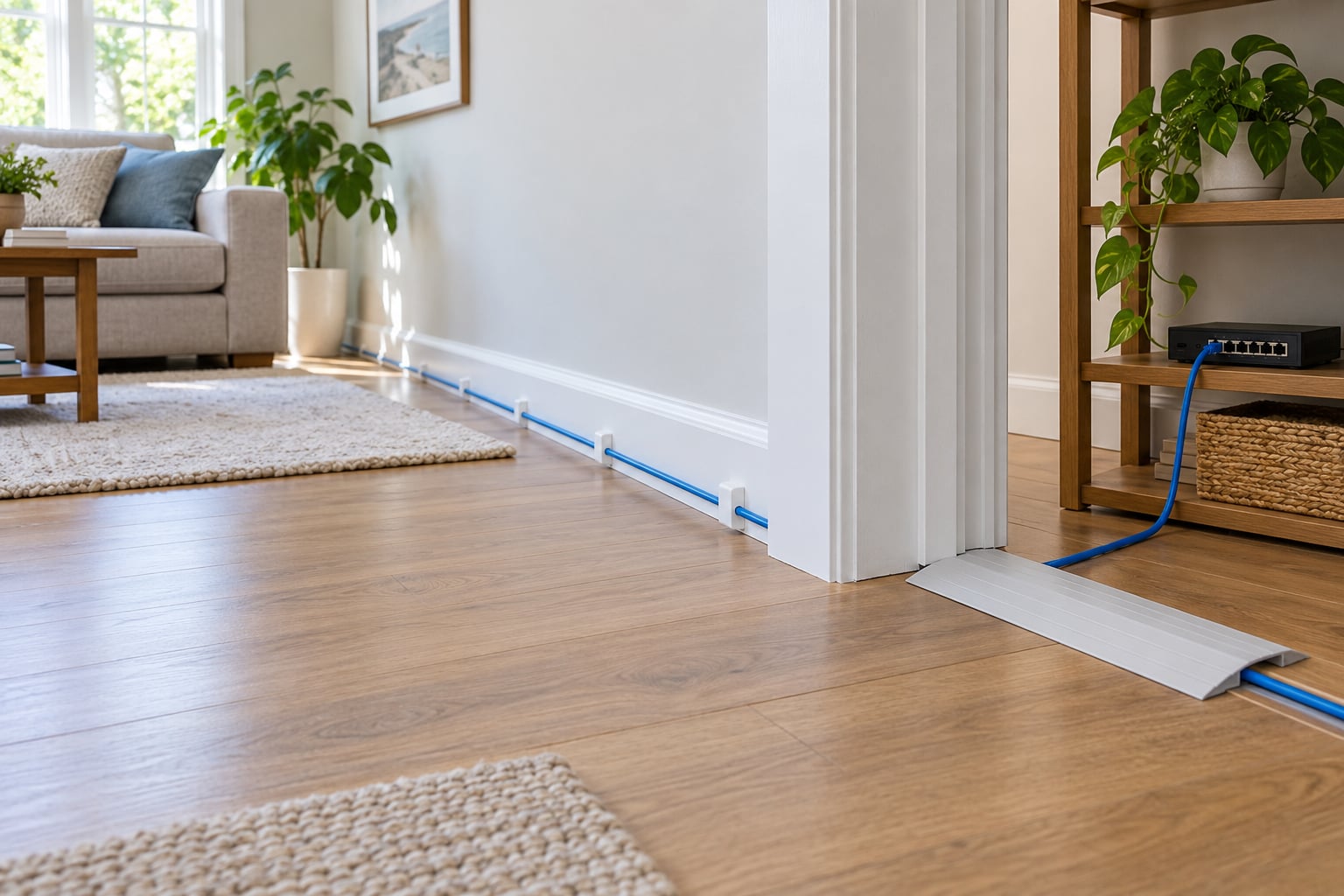
You can run Ethernet through a house without drilling a single hole. The cable follows surfaces and openings that already exist: baseboards, door frames, carpet edges, window gaps, and the attic or crawl space. Raceway, cord covers, or flat adhesive-backed Cat6 hide it, and the whole install peels away cleanly when you move.
A surface run performs the same as an in-wall run because Ethernet is just a copper pair carrying a signal. It travels fine as long as nothing crushes it, kinks it below its minimum bend radius, or stretches past the 100 m (328 ft) channel limit. Budget a couple of hours for a single room and a tape measure, a cable tester, and your route.
If you have been searching for how to run ethernet in a house without drilling, the short version is this. Map the shortest visible path first, then pick the concealment method that matches that path. Decide whether the run is surface-mounted with raceway, tucked under carpet, run through a baseboard gap, or handled by a mesh system with wired backhaul.
Table of Contents
- 1What You Need for a No-Drill Ethernet Run
- 2How to Run Ethernet in a House Without Drilling: Step by Step
- 3Plan the Ethernet Route Before You Buy Anything
- 4How to Run Ethernet in a House Without Drilling: Choose the Route
- 5Secure the Cable Along Baseboards and Doorways
- 6Connect and Test the Ethernet
- 7Common Mistakes That Break a No-Drill Run
- 8Safety and Alternatives When Surface Routing Is Not Suitable
- 9Frequently Asked Questions
- 10Can I run Ethernet throughout a rental home without drilling holes?
- 11Is it safe to run an Ethernet cable along baseboards and door frames?
- 12Can I run an Ethernet cable under carpet?
- 13How can I hide an Ethernet cable behind my baseboard?
- 14Do powerline adapters work as well as Ethernet?
- 15How much Ethernet cable do I need for a house?
- 16Conclusion
What You Need for a No-Drill Ethernet Run
Shopping for the wrong cable is the most common reason a no-drill run disappoints. You need solid copper, the right length, and a way to hide it that suits the room.
- Cable: Cat5e handles 1 Gbps to 100 m and is usually enough for a home. Cat6 is the safe default for new surface runs since it tolerates tighter bends and gives you headroom on 2.5GbE. Skip Cat8; the shielding and cost do nothing for a home.
- Length: buy a bulk spool or a pre-made run that is at least 10 percent longer than your measured path, then cut it back. Extra length buys slack at corners and a service loop behind the equipment.
- Concealment: surface raceway with a removable lid, paintable cord cover for the cable-crossing spots, removable adhesive clips, or flat adhesive Cat6 for tight baseboard runs.
- Connections: RJ45 plugs or keystone jacks if you are terminating yourself, plus a crimping tool or punch-down tool. Pre-terminated cable removes both from the list.
- Checking the run: a basic two-ended network cable tester, a speed test on a hardwired device, and a phone with a level or measuring app.
Check the wall first. In a rental, get written permission before anything touches the paint, and favor methods that lift off with a hair dryer and a plastic scraper. Plaster and lath in older homes chip easily, so adhesive-free options like baseboard pass-through are worth the extra planning.
How to Run Ethernet in a House Without Drilling: Step by Step
Plan the Ethernet Route Before You Buy Anything
Walk the route with a tape measure and write down every turn before you cut cable. Most failed installs are routing mistakes, not cutting mistakes, and they usually start with a path that looks shorter on paper than it does through doorways and around corners.
- Start at the router or switch and end at the device that needs the wire. Add 10 percent for slack and 3 feet at each end for a service loop.
- Note the obstacles in order: doorways, window sills, radiators, kitchen cabinets, exterior walls.
- Check for existing cable. Old telephone wire, coax, or an unused coax run can sometimes carry Ethernet or become a pull path for it.
- Look for a floor or ceiling chase, a basement, or an attic. These are the corridors a professional would use, and reaching one often needs no hole at all.
- Confirm you are under 100 m from equipment to device. Beyond that, add an intermediate switch or a fiber link.
How to Run Ethernet in a House Without Drilling: Choose the Route
The best route is the one that is hidden by geometry rather than by hardware. A baseboard that meets a carpet edge hides cable better than any raceway, and a run that follows an existing door jamb gap needs nothing attached at all.
| No-drill method | Effort | Removable without damage | Best for |
|---|---|---|---|
| Surface raceway with lid | Low | Mostly, adhesive strip residue is common | Long runs along baseboards and around corners |
| Flat adhesive Cat6 | Low | Yes, with heat and patience | Short hops along a baseboard behind furniture |
| Baseboard pass-through | Medium | Yes, nothing is attached | Permanent-looking runs in finished rooms |
| Carpet edge and threshold | Low | Yes | Bedrooms and offices on carpeted floors |
| Door and window gaps | Low | Yes | Doorways, closets, a second floor landing |
| Existing phone jack repurposed | Low | Yes | Rooms already wired with telephone cable, at reduced speed |
| Attic, crawl space, basement | Medium | Yes | Houses with an accessible attic or basement |
| Mesh with wired backhaul | Medium | Yes | Rooms where no clean surface route exists |
Two alternatives come up constantly, and both are compromises. A Wi-Fi extender repeats a radio signal and halves throughput in the process, so it is a fix for dead zones, not for a weak link. Powerline adapters send data through your electrical wiring and can hit gigabit on a modern house, but they vary more between circuits and homes than Ethernet does, and an old or shared circuit will disappoint you.
Secure the Cable Along Baseboards and Doorways
Attach the cable with removable clips or raceway, keeping it straight where you can and slack where it turns. Preparation decides whether the run looks intentional or messy, and it is the step most guides skip. Learning how to run ethernet in a house without drilling means treating the hiding hardware with the same care as the cable itself.
- Clean the surface with isopropyl alcohol and let it dry. Dust and paint conditioner are what make adhesive raceway fall off a wall in a month.
- Peel the raceway backing a few inches at a time and press it down as you go. Leave the factory spacer in place or the lid will sit proud of the wall.
- Space clips every 12 to 18 inches on straight runs and closer at corners. Drive a screw clip into a stud or anchor it where the cable crosses a doorway.
- Leave a gentle curve, never a hard fold. Ethernet wants roughly four times the cable diameter as a minimum bend radius, so a 0.25 inch cable wants about an inch of curve.
- Keep the run at least a few inches from baseboard heaters, radiators, and sunlit windows. Heat is what kills surface cable.
- Cross mains power at a right angle, never in parallel. A run that shares a stud bay or a conduit with romex for a foot or more picks up interference.
For renter-friendly installs, skip permanent staples in hardwood and textured drywall. Adhesive on textured paint fails, and on fresh latex it can lift a thin skin of the paint with it when you pull it off. Heat the strip with a hair dryer for 20 seconds before peeling, then lift slowly at a low angle.
Where a door closes on the cable, use a floor cord protector ramp rather than forcing the cable into the gap. A hinge pinch will flatten the jacket eventually, and a flattened jacket is a flaky link months later.
Connect and Test the Ethernet
Terminate the ends, plug in, and confirm the link lights come on before you tidy anything away. Testing early saves you from a run that has to come apart twice.
If you are connecting pre-terminated cable, skip to the plug-in step. If you are cutting your own, strip about 1 inch of jacket, untwist and sort the eight conductors into the T568B or T568A order, trim them even, and push them into an RJ45 plug. A crimping tool seats the contacts into the gold pins. If the plug feels loose or the tester fails a pin, re-cut it rather than re-crimping twice on the same end.
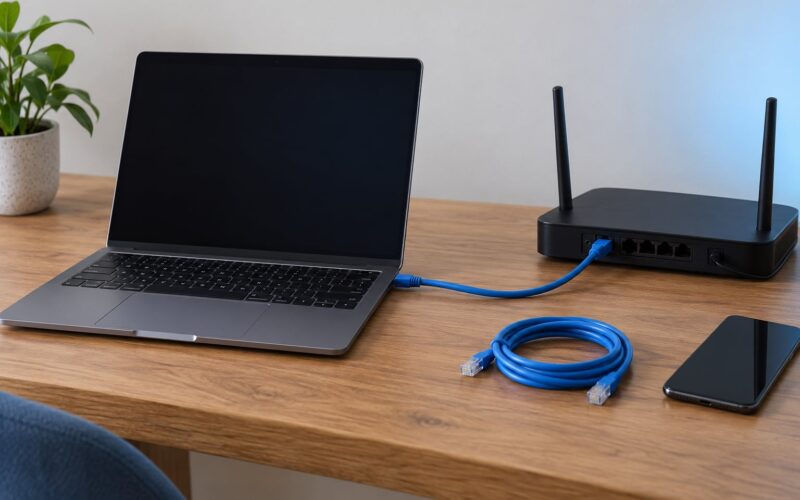
Plug one end into the router or switch and the other into the device. Look for link and activity lights at both ends. No lights usually means a wiring order problem, not a dead cable.
Run a continuity check with a cable tester if you have one. Every pin should read connected on both the main and the remote end, in the same order on both. Then run a speed test from a hardwired computer and watch for a result close to the port speed.
If you are prepping a location for a future access point or camera, leave the end accessible rather than hiding it permanently. Coil a 3 foot service loop, zip tie it loosely, and slip an RJ45 plug on the end so no dust or moisture gets in. Tape a label to the cable noting the room and the wall it is on, since finding it again later is the hard part.
Common Mistakes That Break a No-Drill Run
Almost every failure traces back to preparation, cable quality, or routing discipline. Here are the eight I see most, with the fix for each.
- Cheap flat cable that is really CCA. Copper clad aluminum cable uses an aluminum core with a thin copper shell. It is common in flat adhesive cable and it caps out well below gigabit. Buy solid copper and check the listing for a bare copper conductor.
- Crushing the cable under carpet. Carpet, pad, and underlay press the jacket flat and eventually into the pairs. Run flat cable in that spot or lift the carpet edge and route along the tack strip.
- Overtightening clips or staples. A staple driven past the jacket is a future short. Use screw clips or gentle adhesive clips, and hand-tighten everything.
- Running alongside mains power in parallel. Shared parallel paths create interference. Cross at 90 degrees or reroute.
- Sticking cable near a heat source. A baseboard heater or a south-facing window will cook a jacket over a summer. Route on an interior, shaded wall.
- Using an extender as a network link. An extender halves throughput and adds latency. Wire a backhaul or place the access point where the cable ends.
- Assuming powerline equals Ethernet. Powerline speed depends on the wiring between circuits and drops when a heavy load shares the circuit. Test it before you commit a room to it.
- Ignoring the 100 m limit. Past 328 ft the link either fails or falls back to 100 Mbps. Add a switch mid-run instead.
Safety and Alternatives When Surface Routing Is Not Suitable
Surface routing stops being the right answer in hallways, exterior walls, and rooms where people walk through the cable. Know where the method fails before you spend an afternoon on it.
Skip surface routing in narrow hallways where the cable would run across a walking path, in a house with heavy foot traffic between rooms, on exterior walls exposed to rain and sun, and across any plaster or masonry surface that cannot take adhesive. Do not run cable through HVAC ducts; airflow, condensation, and code all argue against it, and forums routinely steer people away from it.
Call a professional when the run crosses an exterior wall, needs to pass through fire-rated material, shares a pathway with mains wiring, or needs a jack plate installed at a finished wall. A low-voltage installer is the right trade for data cable. An electrician is only necessary when the path involves mains work or where a permit is required in your area, and low-voltage cabling is usually permitted work an installer handles.
When no clean surface path exists, wired-backhaul mesh is the honest answer. Run one Ethernet cable to a room that has a clean route, put a mesh unit or access point there, and let Wi-Fi handle the rest of the rooms. For houses with coax in every room, MoCA adapters use that wiring as the backhaul and land between powerline and real Ethernet in reliability.
One more case deserves honesty. If you own the house long-term and the route crosses a busy hallway, an in-wall run behind the drywall is less work than you think, patches invisible, and never needs cleaning around. Surface routing is a renter’s tool and a flipper’s tool. It is not always the cheapest option over a decade of ownership.
Frequently Asked Questions
Can I run Ethernet throughout a rental home without drilling holes?
Yes, and most rentals permit it as long as nothing is damaged. Run surface raceway along the baseboard, use removable clips for short hops, and cover any unavoidable cable crossing with a floor ramp. Keep the adhesive off textured paint and wallpaper. Give your landlord a photo of the finished run before you sign the lease renewal, and keep a heat gun handy for removing the strips without taking paint with them.
Is it safe to run an Ethernet cable along baseboards and door frames?
It is safe as long as you keep the cable away from heat and crushing. Leave clearance from baseboard heaters, radiators, and sunny windows, and use a floor ramp where a door would pinch the jacket. Cross mains wiring at a right angle rather than running beside it, and anchor clips every 12 to 18 inches so nothing sags or pulls.
Can I run an Ethernet cable under carpet?
Yes, but do not lay standard round cable under the carpet and pad. The weight compresses the jacket into the twisted pairs and you get intermittent failures months later. Lift the carpet edge and run along the tack strip, or use flat adhesive Cat6 designed for under-carpet runs. Leave slack at the edges so the carpet can be stretched back without pinching.
How can I hide an Ethernet cable behind my baseboard?
Pull the baseboard off carefully, run the cable into the wall cavity or behind the back of the trim, and re-caulk or re-nail the baseboard. This needs no holes and leaves almost no trace once the trim is back. In plaster houses, remove the trim with a putty knife and avoid prying near the lath, which chips easily.
Do powerline adapters work as well as Ethernet?
No. Powerline sends data through electrical wiring, so speed depends on how the circuits are wired and what else is drawing power. It can approach gigabit in a modern house with modern adapters, but it drops on shared or old circuits. A Wi-Fi extender is weaker still, since it halves throughput and adds latency. Both are fallbacks for rooms with no clean cable route.
How much Ethernet cable do I need for a house?
Measure the route and add 10 percent, plus 3 feet at each end for a service loop behind the router and the device. A single room is often under 50 feet, and a whole floor can run past 150. Remember the 100 m (328 ft) limit for one Ethernet channel, so a very long run needs an intermediate switch rather than one continuous cable.
Conclusion
Walk the route with a tape measure before you buy anything, and pick the path that hides itself: a carpet edge, a baseboard gap, a door jamb. Then buy solid copper Cat6 with 10 percent extra, secure it with removable clips or raceway, keep it clear of heat and mains power, and run a cable tester plus a speed test before you make the route permanent. That last check is the difference between a finished job and a Saturday spent taking the whole thing back down.