Charging devices safely while traveling comes down to three things: staying inside airline lithium battery limits, avoiding public USB ports that can carry data as well as power, and using undamaged certified chargers so nothing overheats. Most trips need about fifteen minutes of prep at home and one habit change at the airport. Here is the routine that covers phones, laptops, tablets, cameras and small accessories without overthinking it.
A dead phone abroad means no maps, no calls, no payments and no way to reach help, so people push chargers harder than they should. The good news is that nearly every failure here is avoidable, and most of the fixes cost nothing.
Before the step-by-step, here are the quick safety rules. If you read nothing else, read these.
- Carry spare lithium batteries and power banks in your cabin bag only, never in checked baggage.
- Keep the watt-hour rating printed on the power bank where you can read it at the gate.
- Stay at or below 100 Wh without airline approval; above 160 Wh is not permitted at all.
- Use a wall AC outlet whenever one is available instead of a public USB charging port.
- Carry a USB data blocker or charge-only adapter for any USB port you do not own.
- Skip cheap no-name wall chargers, especially ones with no certification mark.
- Never charge a device unattended in direct sun, a parked car or a bag you cannot open quickly.
- Stop immediately if a charger, cable or battery gets unusually hot, smells odd or swells.
Table of Contents
- 1What You Need
- 2Step-by-Step: How to Charge Devices Safely While Traveling
- 3Step 1: Check Voltage, Plug Types, and Device Requirements
- 4Step 2: Pack the Right Chargers and Backup Power
- 5Step 3: Inspect and Use Charging Connections Safely
- 6Step 4: Charge From the Right Source
- 7Step 5: Monitor Battery Levels and Heat
- 8Step 6: Protect Devices and Power Banks in Transit
- 9Common Mistakes
- 10Frequently Asked Questions
- 11Can I charge my phone from a hotel or airport USB port safely?
- 12Do I need a voltage converter to charge my devices abroad?
- 13How should I carry a power bank through airport security?
- 14What is the safest way to charge a laptop while traveling?
- 15Can I leave my phone charging overnight in a hotel?
- 16How do I know if a travel charger or cable is unsafe?
- 17Conclusion
What You Need
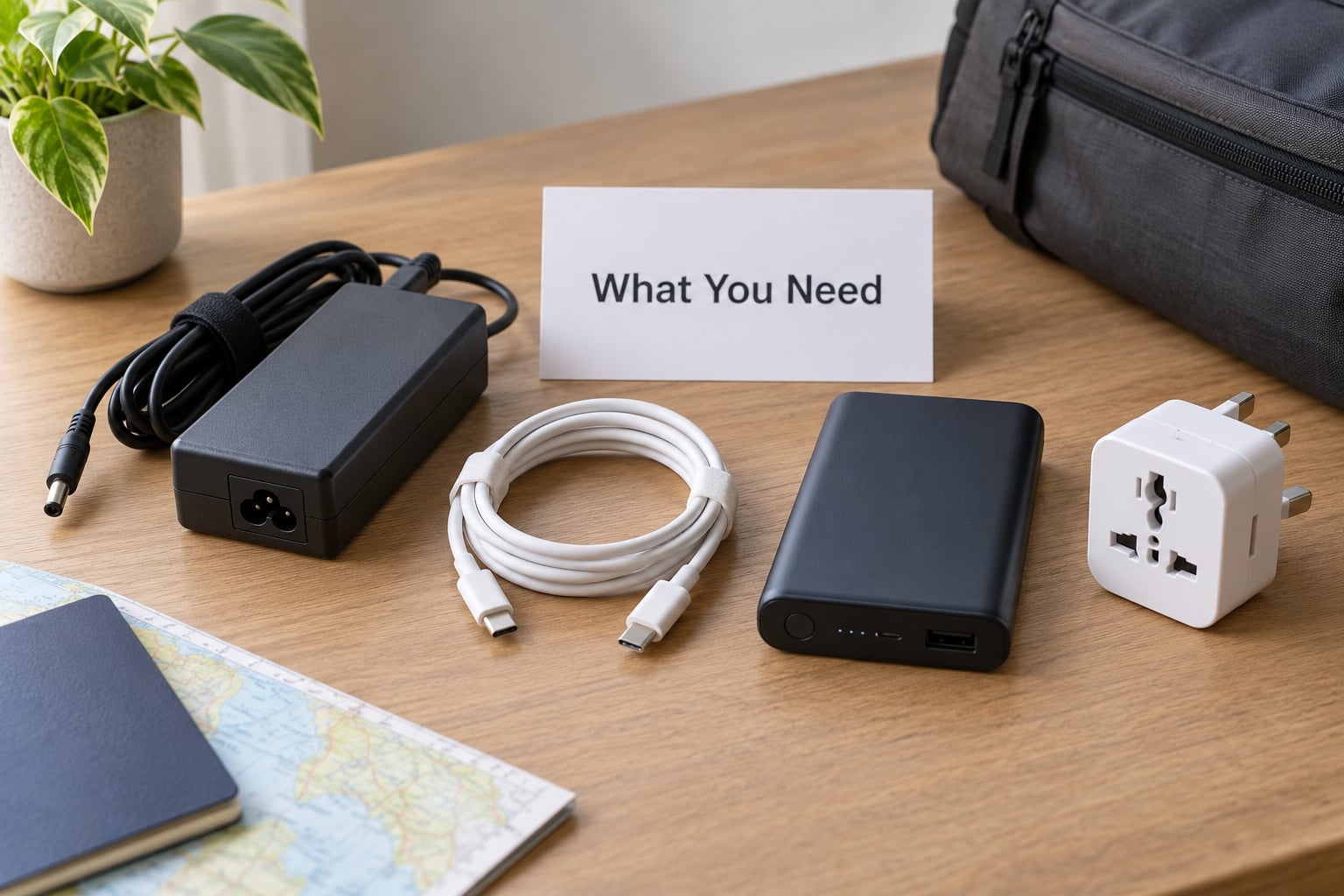
Start with the original charger that came with each device, or a manufacturer-compatible replacement from the same brand. Third-party chargers work fine when they carry a genuine UL, CE or TUV mark, but the sticker alone proves nothing because counterfeits copy marks convincingly.
Cables matter more than most people expect. A cable that is frayed at the strain relief, bent hard inside a bag or rated below what your device draws will run hot and fail. Pack one short USB-C to USB-C cable, one USB-A to USB-C cable, and whatever your laptop needs. Three cables is plenty for most trips.
Add a power bank with a printed watt-hour rating, a plug adapter for your destination, and a small USB data blocker that stays in your bag permanently. That last item is the cheapest insurance in this whole guide.
Run through a battery checklist before you pack: which device is lowest on charge, which one you cannot lose, and which batteries are already inside a device versus loose spares. Camera and drone batteries are spares in the eyes of the airline, and they follow the same rules as a power bank.
Step-by-Step: How to Charge Devices Safely While Traveling
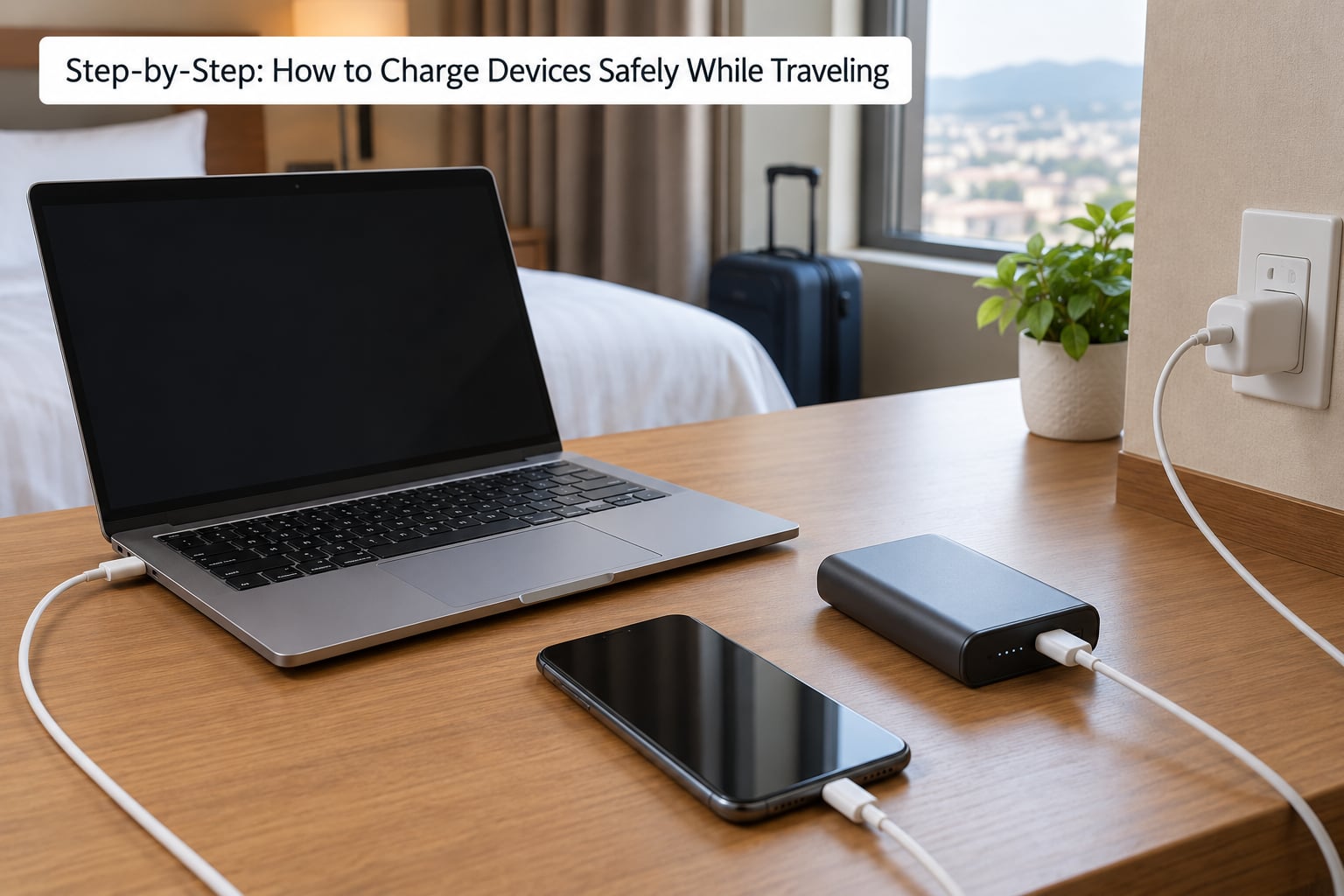
Step 1: Check Voltage, Plug Types, and Device Requirements
Look at the small text on the charger block or the device itself. If it reads 100-240V or 110-240V, the device accepts the voltage used almost everywhere in the world and you need only a plug adapter. If it lists a single voltage such as 120V only, a converter is genuinely required and your packing list grows a pound.
Plug adapters change the shape of the plug. Voltage converters change the voltage. Travelers routinely buy heavy converters they never need, which is the single most common mistake I see on this topic, so check the input line before you buy anything.
| Device label | What to pack | Why |
|---|---|---|
| Input 100-240V or 110-240V | Plug adapter only | Handles both voltage and plug shape worldwide |
| Input 120V only, 60Hz only | Voltage converter plus adapter | Will not run correctly on 230V supply without conversion |
| No voltage label printed | Assume single voltage and check the manual | Missing markings are a red flag for an uncertified unit |
| Battery-only device, no charger | Check the device manual | Charge current is built in and usually fixed |
Hair dryers, flat irons and old kitchen appliances are the items that genuinely need a converter. Traveler forums agree on this point, and it is worth repeating: almost no modern phone or laptop charger needs one.
Step 2: Pack the Right Chargers and Backup Power
Airlines measure spare batteries in watt-hours, not milliamp-hours, so do the conversion yourself before the airport does it for you. Multiply milliamp-hours by the cell voltage and divide by 1000. Most lithium-ion cells are 3.7V nominal, so 20000 mAh becomes about 74 Wh.
The formula is simple: Wh = mAh × volts ÷ 1000. Worked through, a 10000 mAh bank at 3.7V is 37 Wh, and a 27000 mAh bank is about 99.9 Wh, which sits right under the airline ceiling.
| Capacity | Approx. watt-hours at 3.7V | Airline status |
|---|---|---|
| 5,000 mAh | 18.5 Wh | Allowed in carry-on without approval |
| 10,000 mAh | 37 Wh | Allowed in carry-on without approval |
| 20,000 mAh | 74 Wh | Allowed in carry-on without approval |
| 26,800 mAh | 99 Wh | At the 100 Wh ceiling, still within the limit |
| 30,000 mAh | 111 Wh | Over 100 Wh, needs airline approval in advance |
| 50,000 mAh | 185 Wh | Above 160 Wh, not permitted on passenger flights |
If your bank has no watt-hour marking, treat it as unverified and check with the airline before flying. Labeling the housing with the rating and the model number saves an argument at the gate.
Coil cables with a small tie rather than folding them at a sharp angle. Sharp bends inside a bag break the conductors inside the insulation, which shows up months later as a device that charges intermittently or gets warm near the connector.
Step 3: Inspect and Use Charging Connections Safely
Before you plug anything in, look at the outlet. A two-pin AC socket in a hotel or airport is generally safer than a USB port because it carries power only. Damaged outlets show up as discoloration around the slots, loose or wobbly pins, cracks in the faceplate, or a gap where the cover does not sit flush.
Check the plug and adapter the same way: the metal pins should be straight and firm, the plastic should not be cracked or discolored around the seams, and nothing should smell burnt. A charger that feels warm in your hand after unplugging it has already failed and should not go back in the bag.
Run the cable end to end. Look for a bare wire, a connector that wiggles inside the socket, white or green crust near the plug, or a jacket that has gone stiff and cracked. Fray damage at the strain relief is the failure that starts fires, and it is also the easiest to spot.
Stop using any accessory that fails a check. A replacement cable costs a fraction of a replacement device, and travelers who carry two cheap certified spares solve this problem before it starts.
Step 4: Charge From the Right Source
Not all charging points carry the same risk. A wall AC outlet in your hotel room carries no data path at all. A public USB port is a computer port that happens to deliver power, and that is the entire problem. The FBI has advised travelers to avoid public USB charging ports because a compromised port can negotiate with the device and push data or malware while it charges.
Travelers on forums describe the habit change clearly: carry your own charger, use AC outlets where possible, and treat any shared USB port as untrusted. If you have no choice but to plug in, keep your device locked, decline the trust prompts a phone shows when it detects a new computer, and disconnect as soon as the charge completes.
| Source | Risk level | Best practice |
|---|---|---|
| Your own wall AC outlet | Lowest | Preferred option anywhere you control the wall |
| Public AC outlet | Low | Use your own charger, inspect the outlet first |
| Public USB charging port | High | Use a USB data blocker, or find an AC outlet instead |
| Your own power bank | Low | Check the watt-hour label, carry on board only |
| Laptop USB port | Medium | Only on a computer you own and trust |
| Rental car or shared cable | High | Unknown hardware, treat like a public port |
A USB data blocker is a small adapter that physically severs the data lines inside a USB cable, leaving power flowing. Some models also stop power from flowing backward into a compromised port, which protects the device on the other end of the cable. Keep one permanently in your bag; it costs little and removes the decision entirely.
When you are hunting for power on the road, travelers rely on crowd-sourced maps of public charging locations where travelers log wall sockets, USB ports and wireless pads. Cyclists and campers in the same threads charge from small solar panels or a 12V socket in the car when mains power is nowhere to be found.
Step 5: Monitor Battery Levels and Heat
Start charging a device when it drops near 20% rather than topping it off from 90%. Lithium-ion cells do most of their stress near the top of the range, so topping up in short bursts all evening is harder on the battery than one longer charge from a lower level.
For storage between trips, aim for roughly half charge and keep the device out of heat. A phone left in a parked car on a warm day will degrade faster than one used normally for a month.
Watch for heat, not just for a charging icon. Warning signs include warmth that persists after unplugging, a case that feels hot to the touch, a faint chemical smell, a battery that bulges enough to lift the back panel off, or a connection that keeps dropping.
Expect roughly 20 to 30 percent transfer loss when a power bank charges a device, since energy is converted twice along the way. Slower-than-promised charging is usually a cable or port limitation rather than a fault, so a USB-A port with a thin cable will never deliver what a USB-C Power Delivery connection can.
Step 6: Protect Devices and Power Banks in Transit
Spare lithium batteries are treated as dangerous goods, which is why they travel in the cabin and never in checked baggage. A fire in a cargo hold cannot be reached or extinguished, and that single fact drives every airline rule in this section.
The standard international threshold follows IATA guidance. Up to 100 Wh is permitted in carry-on luggage without approval, between 100 Wh and 160 Wh is allowed only with airline approval arranged in advance, and anything above 160 Wh is prohibited on passenger aircraft entirely.
| Carrier | Piece limit | Storage rule | On-board use |
|---|---|---|---|
| Lufthansa Group | Maximum two power banks | Keep under the seat, not in the overhead bin | Not permitted in the cabin |
| Ryanair | Standard 100 Wh threshold | Cabin baggage only | Check the current baggage policy |
| EasyJet | Standard 100 Wh threshold | Cabin baggage only | Check the current baggage policy |
| British Airways | Standard 100 Wh threshold | Cabin baggage only | Check the current baggage policy |
| Other carriers | Follow the IATA thresholds above | Cabin baggage only | Varies by carrier |
Rules were last verified for 2026, and the Lufthansa Group tightening took effect on 15 January 2026, which is recent enough that plenty of travelers still describe it as a rumor. Check your own airline’s page about 48 hours before departure, because these policies change without much warning.
Keep power bank terminals covered with the original caps or a small piece of tape. A bare lithium cell touching a key in a pocket or a coin in a bag pouch is a short circuit waiting to happen, and a short circuit is the mechanism behind most travel battery fires.
Store the bank flat in a pocket or a bag compartment where it cannot be crushed. On board, keep it under the seat rather than in the overhead bin, since a bin is exactly where luggage gets compressed and where no one can reach a problem quickly.
Camera and drone batteries follow the same limits as a power bank, so count them into the total. Spare lithium batteries installed in a device are treated more leniently than loose spares, but loose batteries are the ones that cause problems.
Common Mistakes
Confusing a plug adapter with a voltage converter. A converter is heavy, expensive and unnecessary for any charger marked 100-240V. Check the input label first and buy only the adapter.
Packing power banks in checked baggage. They will be removed before the doors close. Carry them in your cabin bag, in a place you can reach.
Buying three power banks instead of one. A single bank with a printed watt-hour rating above 100 Wh is harder to explain at the gate than two small ones, and weight adds up fast.
Charging through untrusted public USB ports. Use a data blocker, find an AC outlet, or wait. This is the mistake with the highest consequence and the easiest fix.
Leaving devices charging in a hot car or in direct sun. Heat is the fastest way to age a lithium battery. Take the device with you, or park in shade.
Using a charger that is not rated for the device. A mismatched or uncertified charger can overheat the cable where it meets the connector. Match the output rating to what the device expects and prefer the manufacturer’s own unit.
Forgetting that pass-through charging has limits. Plugging a power bank into a wall adapter and then charging a phone from it is useful when a room has one socket, but some combinations charge slower than either part alone and some older banks cannot do it at all.
Frequently Asked Questions
Can I charge my phone from a hotel or airport USB port safely?
You can charge, but the port is the risk, not the electricity. A public USB port can carry data as well as power, and a compromised port can attempt to negotiate with your device while it charges. Use an AC wall outlet with your own charger whenever you can. If you must use the USB port, carry a USB data blocker, keep your device locked, decline any trust prompt, and unplug when the charge finishes.
Do I need a voltage converter to charge my devices abroad?
Almost certainly not for your phone, tablet or laptop. Nearly every modern charger is marked 100-240V, which means it accepts the supply used in most countries, and a lightweight plug adapter is all you need. A real voltage converter is only required for single-voltage appliances such as some hair dryers and flat irons. Read the input line on your charger before you buy anything.
How should I carry a power bank through airport security?
Power banks belong in your cabin bag, never in checked luggage, and screeners will ask to see them separately from the rest of your bag. Keep the watt-hour rating visible or mark it on the housing with the model number. Keep the terminals capped so nothing shorts against a coin or key. At the gate, an over-capacity bank can be refused, so verify your Wh figure before you fly.
What is the safest way to charge a laptop while traveling?
Use your own laptop charger on a wall outlet you have inspected, and check the charger label for a 100-240V input so it works across countries without a converter. Avoid shared cables and public USB ports entirely, since a laptop exposes far more data than a phone. If you use a power bank, confirm it can supply your laptop’s wattage and expect slower charging through a port the laptop negotiates down.
Can I leave my phone charging overnight in a hotel?
It is generally fine because modern phones stop drawing power when the battery is full and manage charge levels internally. The caution is about heat rather than overcharging, so never leave a phone or power bank charging in direct sun, inside a bag, or under a pillow where an unusual warmth would go unnoticed. If the device feels unusually hot or smells odd, unplug it and move it to a hard surface.
How do I know if a travel charger or cable is unsafe?
Look for a genuine UL, CE or TUV certification mark, and check that the plug pins are straight and firm. Reject any charger with loose or wobbly pins, cracks or discoloration around the seams, or a faint burnt smell. For cables, discard anything with a bare wire, a connector that wiggles in the socket, or a stiff and cracked outer jacket. Cheap unbranded chargers are the main source of problems.
Conclusion
Do the conversion tonight. Read the watt-hour rating on your power bank, confirm it sits at or below 100 Wh, and put a USB data blocker in your bag next to your chargers.
After that, the habits do the rest: your own charger into an AC outlet, inspected cables only, power bank in the cabin under the seat, and nothing left charging in heat. That is how to charge devices safely while traveling without thinking about it at the gate.