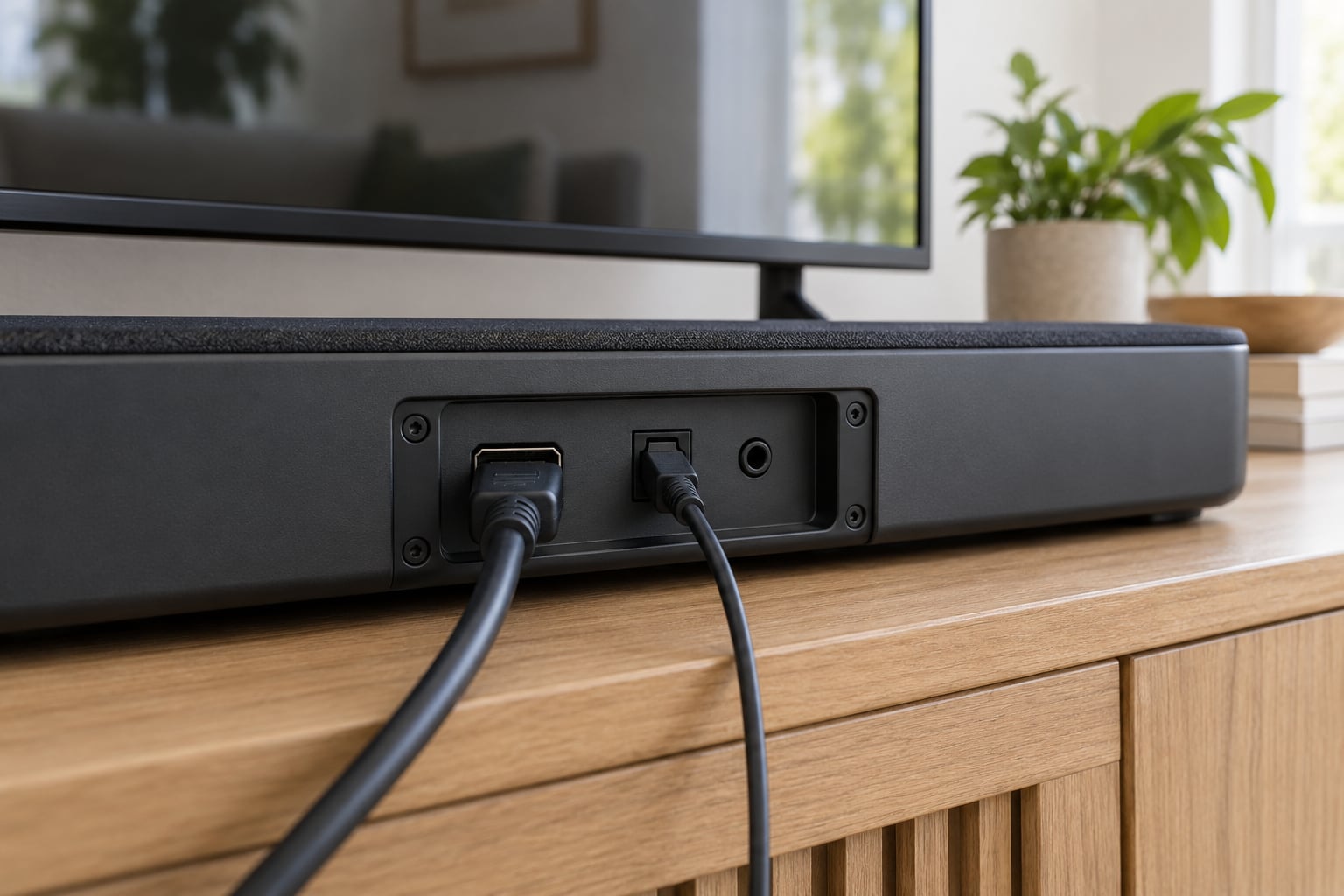
Most people get soundbar audio working in about ten minutes: run one HDMI cable from the port marked HDMI IN (ARC) or HDMI eARC on the television to the port marked HDMI OUT (TV-ARC) on the soundbar, then set the TV’s sound output to that HDMI port. If that HDMI port is unavailable, optical audio is the next best method, and Bluetooth or an AUX cable is the fallback. That is how to connect a soundbar to a TV correctly in almost every setup.
The whole job is really two decisions. Pick the connection your hardware supports, then turn the TV’s audio output over to the soundbar instead of the built-in speakers. Miss either one and you get the classic symptoms: soundbar works but the TV still talks over it, TV speakers play and the soundbar sits silent, or everything works except the volume buttons.
The guide below covers port labels in the exact words printed on the devices, the menu path for the audio output setting on seven TV brands, and a troubleshooting ladder for the two most common failures. Updated for 2026.
Table of Contents
- 1What You Need
- 2Step-by-Step: How to Connect a Soundbar to a TV Correctly
- 31. Check the soundbar and TV connection options
- 42. Turn off and unplug both devices
- 53. Connect the soundbar with the best cable for your ports
- 64. How to connect a soundbar to a TV’s sound output, by brand
- 75. Test the sound and fix lip sync
- 8Common Mistakes
- 9Frequently Asked Questions
- 10Should I connect a soundbar with HDMI ARC or optical audio?
- 11Why does my soundbar work but the TV speakers still play?
- 12What should I do if the soundbar has no sound after connecting it?
- 13Does connecting a soundbar with HDMI turn off the TV speakers automatically?
- 14Is Bluetooth a good way to connect a soundbar to a TV?
- 15What is the difference between HDMI ARC and HDMI eARC?
- 16Wrap Up
What You Need
You need the two devices, one cable that matches the ports you picked, and about ten minutes. Nothing else. No receiver, no adapter, no special box.
The first thing to do is read the port labels rather than guess from the socket shape. Every one of these sockets looks identical from the front, and that is exactly why people end up plugging a soundbar into a random HDMI port and wondering why nothing happens.
- On the TV: look for HDMI IN (ARC), HDMI eARC, ARC, or on Samsung and some Vizio sets a port labeled D.IN. For cable audio, look for OPTICAL OUT or DIGITAL AUDIO OUT. For analog audio, look for AUDIO OUT, a 3.5 mm jack, or red and white RCA jacks.
- On the soundbar: look for HDMI OUT (TV-ARC) or HDMI OUT (ARC), DIGITAL AUDIO IN (OPTICAL), AUX IN, and a Bluetooth pairing button often labeled BT PAIRING or BT READY.
- The cable: a standard HDMI cable, a digital optical (Toslink) cable, or a 3.5 mm stereo cable. You do not need an expensive one.
That HDMI OUT label on the soundbar confuses more people than any other port on either device. An output on the soundbar is correct here, because the soundbar is sending audio out to the television. On the TV, you need an input.
Here is how the five methods actually compare, so you can pick before you start.
| Method | Cable needed | Dolby Atmos | TV remote controls volume | Best for |
|---|---|---|---|---|
| HDMI eARC | HDMI | Yes, full uncompressed | Yes | Newer TVs and soundbars, best quality |
| HDMI ARC | HDMI | Yes, compressed (Dolby Digital Plus) | Yes | Most sets made in the last decade |
| Optical (Toslink) | Fiber optic | No, compressed only | On most models | Older TVs, consoles, TVs with the ARC port occupied |
| Bluetooth | None | No | No | TVs with no wired audio out, temporary listening |
| AUX / RCA | 3.5 mm or RCA | No | Varies | Last resort on very old hardware |
One honest caveat about eARC. It returns uncompressed audio, but it does not have the bandwidth of a full HDMI 2.1 link, so on some combinations you lose Atmos height channels that you would hear going through an AV receiver on HDMI 2.1 passthrough. For most living rooms the difference is small, and the single-cable convenience is worth far more than the height channels.
Step-by-Step: How to Connect a Soundbar to a TV Correctly
1. Check the soundbar and TV connection options
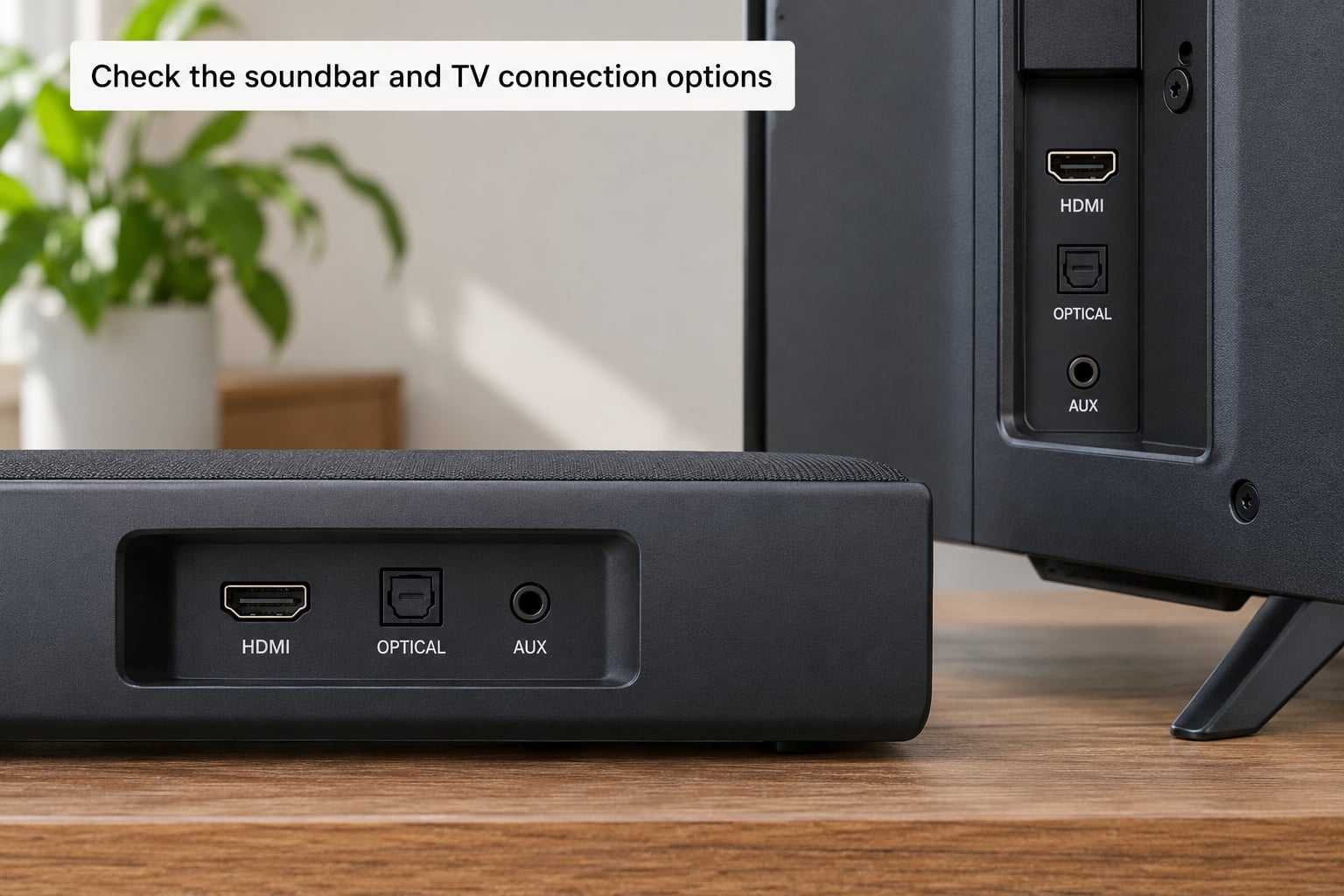
Read both sets of port labels before you touch a cable. If the TV has an HDMI port marked ARC or eARC and the soundbar has an HDMI OUT (TV-ARC) port, that pairing is your best option and the rest of this walkthrough is simple.
If the TV has no ARC-labeled port, count how many HDMI inputs are already in use. A game console or a streaming box often occupies the one ARC port, and on many TVs only one port is ARC-capable. In that case optical wins, because it does not compete for an HDMI input.
Bluetooth is the last wireless resort for a reason: Roku TV and Fire TV platforms have no Bluetooth audio output, so those sets cannot send TV sound to a soundbar that way no matter how many pairing attempts you make.
2. Turn off and unplug both devices
Shut the TV and the soundbar down and unplug both from the wall. Working on a powered-on HDMI connection is the most common reason a cable ends up only half-seated, and a partially seated ARC cable is a partial connection that may pass a glance test and still fail.
Afterwards, clear the dust on a shelf you rarely touch. Soundbar owners report that a good share of surprise “no sound” cases were simply a soundbar that had been switched off by a housemate or knocked off a cabinet weeks earlier.
3. Connect the soundbar with the best cable for your ports
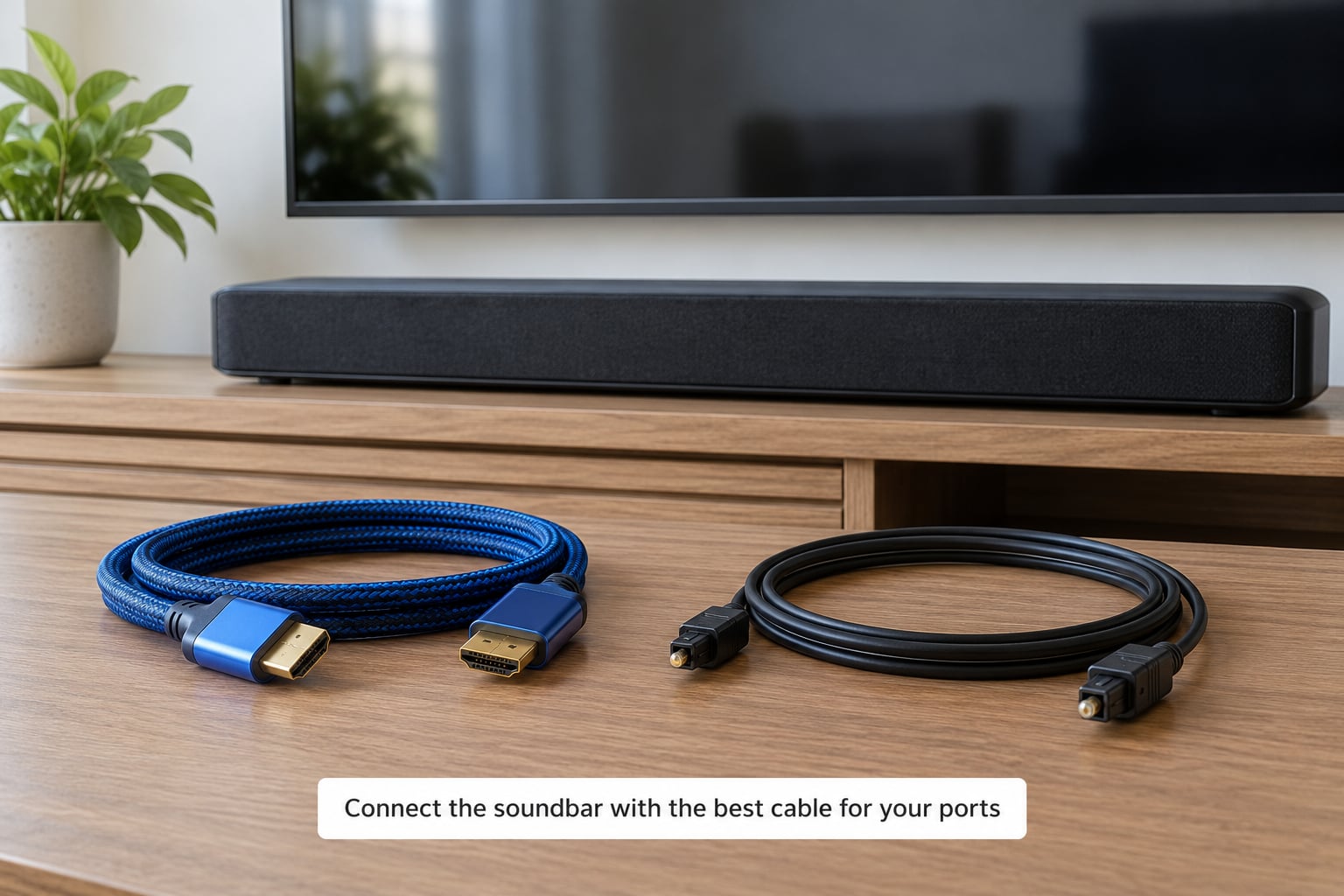
For HDMI eARC or ARC, run the cable from the TV’s HDMI IN (ARC) or eARC port to the soundbar’s HDMI OUT (TV-ARC) port. On Samsung sets the same TV port is sometimes printed as D.IN, and some soundbars label the soundbar end TV-ARC on its own. Push it in until it clicks, then check the soundbar display for an ARC, eARC, or TV indicator.
For optical, connect OPTICAL OUT on the TV to DIGITAL AUDIO IN (OPTICAL) on the soundbar. Optical cables are fiddly: the connector is a small square plug with a raised tab, and the tab only goes in one way. If it will not slide in, do not force it, as the fiber tip snaps easily and a snapped cable is a trip to the drawer.
For AUX, connect the TV’s AUDIO OUT or 3.5 mm jack to AUX IN on the soundbar with a 3.5 mm stereo cable, or the red and white RCA pair to matching RCA inputs if you use an older soundbar.
On cable choice, ignore anyone selling a premium audiophile HDMI cable. Enthusiasts on AVS Forum consistently report that for cable and satellite content, an ordinary HDMI 2.0 cable sounds identical to an expensive one. Any certified HDMI cable you already own will handle eARC; buy a certified HDMI 2.1 cable only if you need the higher bandwidth for something else, and keep runs under about 15 feet before you think about an active cable.
4. How to connect a soundbar to a TV’s sound output, by brand
Plug both devices back in, turn the TV on first, then the soundbar. On the TV, open the sound or audio settings and change the sound output from TV Speaker to HDMI ARC, eARC, Optical, or External Speaker. Skip this and the TV keeps playing through its own speakers no matter what the soundbar is doing.
Menu names differ by brand, and this is where most tutorials send you in circles. These are the paths that work on current firmware.
| TV brand | Where the sound output setting lives |
|---|---|
| Samsung | Settings > Sound > Sound Output > Sound Output Options |
| LG | Settings > Sound > Sound Out > Sound Out Options |
| Sony (Bravia) | Settings > Sound > Audio Output > Audio Out |
| TCL / Hisense | Settings > Sound > TV Speakers > External Speakers |
| Roku TV | Settings > Audio > HDMI ARC > Dolby Surround or Stereo |
| Fire TV | Settings > Sound > TV Speaker Options > HDMI ARC or Optical |
| Vizio | Settings > Audio > ARC / eARC Audio |
Then set the soundbar’s own source to match. Press Source, Input, or Function on the soundbar until the display shows TV, ARC, OPTICAL, or AUX. A soundbar left on BT or on the wrong HDMI input will stay silent even though the TV is sending it audio.
The same step handles remote control. That feature is called HDMI-CEC, and each brand renames it: Samsung calls it Ananyet+, LG calls it SIMPLINK, Sony calls it Bravia Sync, Panasonic calls it Viera Link, and most others just call it CEC. Turn it on for both devices and your TV remote will adjust soundbar volume, power it on with the TV, and switch inputs automatically.
5. Test the sound and fix lip sync
Play something with a visible voice, such as live news or a talk show, and raise the TV volume with the TV remote. If the remote changes the soundbar’s volume, both HDMI-CEC and the audio output setting are correct and you are done.
If the dialogue sits behind the actors’ mouths, that is lip-sync delay and it usually has a matching delay control on the soundbar. Look for Audio Delay, Lip Sync, or AV Sync in the soundbar menu and set it low, around 0 to 50 milliseconds, then nudge it upward until the voice lands on the lips. If your soundbar has none of those, the TV sometimes does: Samsung and Sony both expose a matching audio delay slider in their picture and sound menus.
Finish by running a 20-second test with the TV volume at zero and the soundbar volume at about 30 percent. That is your normal setup for a soundbar, since the soundbar does all the work once the built-in speakers are off.
Common Mistakes
Using a generic HDMI port. On most TVs only one or two HDMI inputs are ARC-enabled, and they are usually not the first ones. Read the label printed under the port rather than counting sockets along the row. Connecting to port 2 while the console sits in the ARC port is the single most-skipped step in the whole process.
ARC or CEC switched off. Some TVs ship with ARC disabled, and some have Anynet+, SIMPLINK, or Bravia Sync off by default, which stops remote control even when audio flows. Forum consensus is that this is worth checking before anything else.
TV speakers still set as the output. If the sound output is still TV Speaker, the TV plays its own audio and ignores the soundbar. Some brands call the correct setting External Speakers Only rather than HDMI ARC, which is the same idea.
HDMI IN versus HDMI OUT confusion. The TV end must be an input and the soundbar end must be an output labeled TV-ARC. Plugging the soundbar’s output into the TV’s output gives you nothing at all.
Wrong source on the soundbar. A soundbar switched to Bluetooth or to HDMI 2 while the cable is in HDMI 1 stays quiet. Cycle the source until the front display confirms the connection you made.
Optical output set to the wrong format. If you hear a click, a pop, or nothing on an optical connection, try switching the TV’s digital audio output format between PCM, Dolby Digital, and bitstream. Soundbars vary in what they accept, and bitstream is the safest default when a soundbar has its own decoder.
Bluetooth pairing that keeps dropping. Bluetooth is for convenience, not reliability: expect dropouts, sync drift, and the TV reconnecting to a phone that paired earlier. Clear the pairing list on both devices and pair again with nothing else nearby. For TV audio specifically, a wired connection is the better answer.
The eARC port is already occupied by a console. Moving the console to a normal HDMI input frees the ARC port, and the picture is unaffected unless the console was relying on 4K120 or VRR, which plain ARC cannot pass through anyway.
Two more habits fix most surprises. Power cycle both devices together, unplugging them for 30 seconds and starting the TV first, and it clears a surprising share of dead ARC handshakes. Update the soundbar firmware too, since ARC problems that appear out of nowhere after a TV update usually come from a version mismatch. Reach for the factory reset only after that, and know that it wipes saved passwords and app logins on many models.
Frequently Asked Questions
Should I connect a soundbar with HDMI ARC or optical audio?
Use HDMI ARC or eARC whenever both devices have the ports. It carries the best quality, including compressed or uncompressed Dolby Atmos depending on the model, lets the TV remote control the volume, and means one cable instead of two. Choose optical when the TV has no ARC port, when the one ARC port is taken by a console, or when you are connecting to a streaming box or game console instead of the TV.
Why does my soundbar work but the TV speakers still play?
The TV audio output is still set to its built-in speakers. Open the sound settings and change Sound Output from TV Speaker to HDMI ARC, eARC, or External Speakers Only, depending on the brand name. Some sets apply the change only to the current input, so check again after switching inputs. If the soundbar is connected by optical, the equivalent setting is usually labeled Optical or Digital Audio Out.
What should I do if the soundbar has no sound after connecting it?
Work down this order: reseat both cable ends, confirm the TV audio output is set to the soundbar, set the soundbar source to match the cable, enable HDMI-CEC under its brand name, then power cycle both devices for 30 seconds. After that, swap the HDMI cable and try another HDMI port. Update firmware before resetting anything to factory defaults, because a reset wipes saved passwords and app logins.
Does connecting a soundbar with HDMI turn off the TV speakers automatically?
No. HDMI-CEC can switch the TV audio output over on some brands the first time a device is detected, but it is not reliable enough to count on. Set the sound output to HDMI ARC or External Speakers manually, then set the TV volume low. Once the soundbar is handling all the audio, the TV remote usually handles soundbar volume too, which is why many people leave the TV volume at zero.
Is Bluetooth a good way to connect a soundbar to a TV?
Only when nothing else is available. Bluetooth sound from a TV is compressed, adds noticeable lip-sync delay, and drops out intermittently, and the TV may reconnect to a phone instead of the soundbar. Roku TV and Fire TV platforms cannot send audio over Bluetooth at all. Use HDMI ARC or optical for anything you watch regularly and keep Bluetooth for a phone or a temporary setup.
What is the difference between HDMI ARC and HDMI eARC?
ARC returns audio from the TV to the soundbar over the same HDMI cable, normally as a compressed Dolby Digital Plus stream. eARC upgrades that to an uncompressed return path with more bandwidth, so formats such as Dolby Atmos carry full quality. eARC also supports features like automatic lip-sync correction and is one-way in practice: you cannot send TV audio to a soundbar over plain HDMI without ARC or eARC switched on.
Wrap Up
Start with the port labels. Find HDMI IN (ARC) or eARC on the TV, run one HDMI cable to HDMI OUT (TV-ARC) on the soundbar, then change the TV sound output to that HDMI port and set the soundbar source to TV or ARC. That single change to the audio output setting is what resolves most “my soundbar is connected but I still hear the TV” cases, and it is the step most guides bury.
If that port is taken or missing, move to optical and expect slightly less, then adjust the TV’s digital audio output format if the sound is wrong. Save Bluetooth for a phone, and skip the expensive cable.